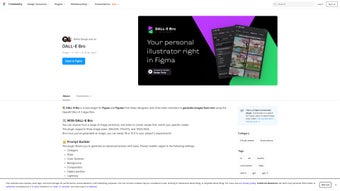

Download DALL E Bro – AI Image Generation Plugin for Figma & FigJam
Overview
DALL E Bro is a cutting‑edge plugin that embeds OpenAI’s powerful DALL‑E 2 engine directly into the collaborative design environments of Figma and FigJam. By converting natural‑language prompts into high‑resolution visual assets, the tool eliminates the time‑consuming hunt for stock photos and the effort of hand‑drawing mock‑ups. Whether you’re a UI/UX designer, a product manager, or a member of a creative team, DALL E Bro streamlines the ideation phase: simply type a description, click generate, and watch the AI produce multiple variations that can be placed on your canvas in seconds.
The integration reduces context‑switching, accelerates prototyping, and expands creative horizons, allowing teams to explore concepts that would otherwise require extensive manual work. Security is a core focus—prompt data travels over encrypted HTTPS channels, and the plugin receives automatic updates to stay aligned with the latest DALL‑E improvements. In short, DALL E Bro transforms textual ideas into visual reality, making it an indispensable companion for anyone looking to boost productivity while maintaining top‑tier design quality.
Its lightweight footprint, cloud‑based processing, and seamless workflow integration mean you can focus on creativity rather than technical overhead, positioning DALL E Bro as a must‑have tool for modern design teams.
Core Features, Installation & Compatibility
Feature Highlights
- AI‑Powered Image Generation: Utilises the latest DALL‑E 2 algorithm to produce realistic, stylised, or abstract images from plain text prompts.
- Native Figma & FigJam Integration: Generates assets directly on your current board, eliminating the need to switch applications.
- Customisable Rendering Options: Choose aspect ratios, resolution levels, and style presets such as flat design, photorealistic, hand‑drawn, or low‑poly.
- Advanced Prompt Builder: Guided interface with keyword suggestions, negative prompts, and style tags to help you craft effective prompts.
- Batch Generation: Produce up to five image variations per prompt for rapid iteration and mood‑board creation.
- Secure Data Handling: All communication occurs over HTTPS; no personal design files are stored on external servers.
- Version History & Undo: Every AI‑generated image is saved in Figma’s history, allowing you to revert, compare, or replace assets.
- Collaboration‑Ready: Team members can view, comment, and regenerate images in real time within FigJam sessions.
- Automatic Updates: The plugin updates itself to stay compatible with the newest DALL‑E capabilities and UI enhancements.
Why These Features Matter
The blend of AI generation and native workflow integration reduces the cognitive load of switching between design tools and external image libraries—a major productivity drain for designers. Customisable rendering ensures generated visuals align with brand guidelines, while the prompt builder lowers the learning curve typically associated with text‑to‑image AI. Batch generation and version history empower teams to experiment without fear of losing work, fostering a culture of rapid prototyping. Secure data handling and automatic updates address enterprise concerns, making DALL E Bro suitable for freelancers, agencies, and large design departments alike.
Step‑by‑Step Installation
- Open Figma or FigJam and go to the Community tab.
- Search for “DALL E Bro” and click Install. The plugin will appear under your Plugins menu.
- After installation, locate the DALL‑E Bro icon in the top‑right toolbar of the editor.
- Click the icon to launch the UI panel; you’ll be prompted to sign in with an OpenAI API key (a free tier is available).
- Authenticate, then start generating images directly on your canvas.
Using the Plugin Effectively
Select a frame or an empty space where the image should appear. In the DALL E Bro panel, type a concise description—e.g., “a sleek mobile banking app home screen with a blue gradient background and minimalist icons.” Use the Prompt Builder to add style tags such as “flat design” or “high‑contrast.” Adjust the Resolution slider if you need a larger asset for marketing mock‑ups. Press Generate and watch up to five variations populate the selected area. Click any thumbnail to replace the placeholder, drag it elsewhere, or hit Regenerate for fresh ideas. The plugin also supports batch prompts, allowing you to queue multiple descriptions for one‑click generation—perfect for mood boards or rapid concept sketches.
System Requirements & Operating Systems
DALL E Bro runs as a web‑based plugin inside the Figma/ FigJam cloud environment, making it compatible with any operating system that supports the Figma desktop app or browser version. Supported platforms include:
- Windows 10 or later (64‑bit)
- macOS 11 (Big Sur) and newer
- Linux distributions with Electron support (via the Figma desktop client)
- Chrome, Edge, Safari, and Firefox browsers for web‑based usage
No extra hardware is required beyond an internet connection, as all AI processing occurs on OpenAI’s servers. For optimal performance, a broadband connection of at least 10 Mbps is recommended to minimise latency during image generation.
Pros, Cons & Frequently Asked Questions
Pros
- Fast, on‑the‑fly image creation without leaving the design tool, saving valuable time.
- High‑quality outputs that can be used directly in production, presentations, or client deliverables.
- Intuitive prompt builder reduces guesswork and accelerates learning curve for AI text‑to‑image.
- Secure, encrypted communication with OpenAI’s API ensures data privacy.
- Free tier available; paid plans unlock higher resolution, faster generation limits, and priority access.
Cons
- Dependent on OpenAI API quota; heavy usage may require a paid subscription.
- Generated images can be generic if prompts lack detail or specificity.
- Limited fine‑grained artistic control compared to manual illustration or vector design.
FAQ
Is DALL E Bro free to use?
The plugin itself is free to install, and OpenAI offers a limited free tier for API calls. For larger projects or higher‑resolution images, a paid OpenAI subscription may be required.
Can I use the generated images commercially?
Yes, as long as you comply with OpenAI’s usage policies. The images are owned by the user who generated them, and you can incorporate them into client work, marketing materials, or product designs.
What file formats are supported?
Generated assets are delivered as PNG by default, with optional JPEG export for smaller file sizes. You can also copy the image directly onto the Figma canvas for vector‑based manipulation.
How does DALL E Bro handle sensitive data?
All prompts are sent over HTTPS and are not stored permanently on OpenAI’s servers. The plugin does not retain any design files or personal information beyond what is necessary for API authentication.
Can I customise the AI’s style (e.g., cartoon vs. photorealistic)?
Absolutely. The prompt builder includes style tags and preset dropdowns that let you specify the desired artistic direction, such as “illustration,” “pixel art,” “photorealistic,” or “low‑poly.”
What should I do if image generation is slow or fails?
First, check your internet connection—slow bandwidth can increase latency. If the issue persists, verify that your OpenAI API key is valid and has sufficient quota. Restarting Figma or reinstalling the plugin often resolves temporary glitches.
Overall Rating: 4.5/5
Conclusion & Call to Action
DALL E Bro bridges the gap between imagination and execution, giving designers a powerful ally that lives right inside the tools they already love. By turning simple text into polished visuals in seconds, the plugin eliminates bottlenecks, reduces reliance on external stock libraries, and fuels rapid iteration—a critical advantage in today’s fast‑paced design cycles. While an internet connection and occasional API costs are required for heavy usage, the productivity gains and creative freedom far outweigh these considerations for most professionals. Whether you’re crafting UI mock‑ups, brainstorming branding concepts, or collaborating on a FigJam whiteboard, DALL E Bro is a smart, secure, and future‑ready addition to your workflow.
Ready to supercharge your design process? Download DALL E Bro now, obtain a free OpenAI API key, and start generating stunning images without ever leaving Figma or FigJam. Experience the next level of AI‑enhanced creativity—your next great design is just a prompt away.



.png)



